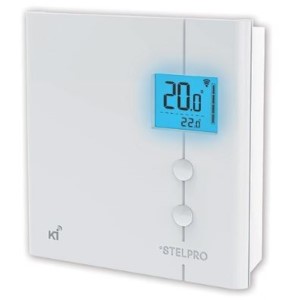
Stelpro Z-Wave STZW402WB+ Thermostat
Product Description
- 2-wire connection to heater.
- Backlit screen with adjustable intensity.
- Temp Range: from 5 to 30 °C (from 41 to 86 °F).
- Lock mode.
- Comfort/Eco modes.
- Outdoor temperature display capability.
Working with PhD
- Control your Stelpro Thermostat and other connected devices with the Zinno app available on iOS&Android
- With PhD, you could automatically turn Stelpro Thermostat on or off in many scenarios, such as door opens/closes, human appearance detected, and much more
- Also, you can automate the Stelpro Thermostat with PhD Scence routes, like Good Morning, Goodnight…
- Control Stelpro Thermostat with voice commands using PhD and the Google Assistant or Amazon Alexa
Add Stelpro Thermostat to PhD’s network
- On the Zinno app, press Left Menu Bar, then select “Devices”
- Select “+” button to put the PhD in inclusion mode, keep your thermostat close to PhD within 10 feet (3 meters)
- Press the UP and DOWN buttons simultaneously for 3 seconds to gain access to the advanced settings root menu of STZW402WB+
- Press the UP or DOWN buttons to choose Menu1 (Z-Wave menu), press UP and DOWN buttons simultaneously one time to enter Z-Wave menu
- Press the UP or DOWN buttons to choose the value ON, press UP and DOWN buttons simultaneously one time to confirm
- PhD will announce “Found Device”, and Zinno app will display the dialog box, asking user to interact with device one more time
- Continue with Menu1 (Z-Wave menu) and the value is still ON, press UP and DOWN buttons simultaneously one time, PhD will announce “The device is being added”
- If adding the device successfully, PhD will announce “Adding Stelpro Thermostat success” and on Zinno app will display the dialog boxes that indicate user has added device successfully
Specification
- Model number: STZW402WB+
- Power source: 120VAC ~ 240VAC
- Protocol: Z-Wave Plus
- Dimension: 4.9 x 1.4 x 4.9 inches
- Weight: 0.8 pounds
- Color: White